
| 일 | 월 | 화 | 수 | 목 | 금 | 토 |
|---|---|---|---|---|---|---|
| 1 | 2 | 3 | ||||
| 4 | 5 | 6 | 7 | 8 | 9 | 10 |
| 11 | 12 | 13 | 14 | 15 | 16 | 17 |
| 18 | 19 | 20 | 21 | 22 | 23 | 24 |
| 25 | 26 | 27 | 28 | 29 | 30 | 31 |
- Kubernetes
- 인생이재밌다
- MySQL Error
- spread operator
- ssh
- node.js
- AWS RDS
- zombie-hit apartment
- post
- chartjs
- Get
- AWS
- sessionStorage
- mysql
- html
- mongodb
- git
- ajax
- spring
- json
- topologySpreadConstraints
- javascript
- ES6
- AWS Route53
- terminationGracePeriodSeconds
- 영화예매
- 예매로직
- Java
- jsp
- Bootstrap
- Today
- Total
jongviet
June 15, 2021 - navbar를 가려버린 modal... 본문
*6월15일
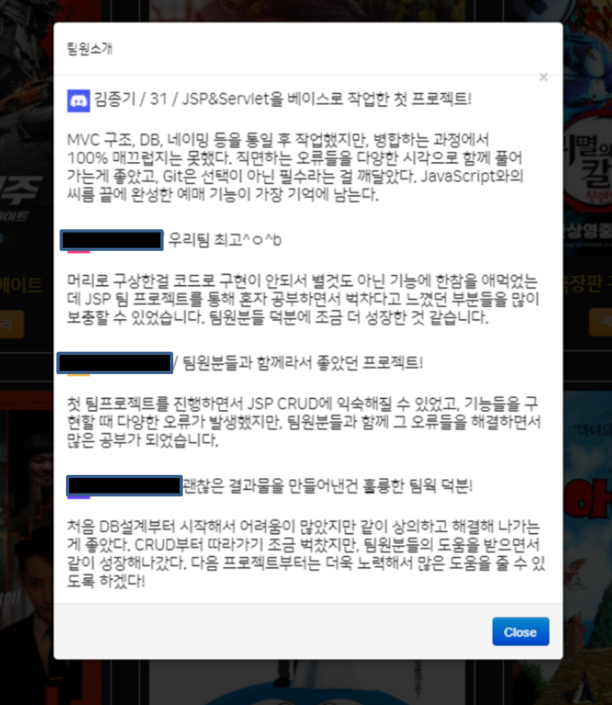
-팀프로젝트 막바지 최종 기능 점검을 하며, 각 구성원의 느낀점을 modal에 간략하게 정리해서 footer에 넣기로 했다.
-그다지 어려운 기능이 아니었기에 무난하게 구현되었고, 테스트 후 본 페이지에 심었는데 이게 웬일?
-navbar의 a 태그 조차 클릭할 수 없게 자리 잡아 버린 것이었다...
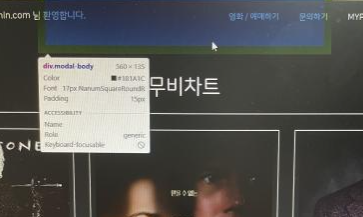
-stackoverflow를 뒤진 끝에, z-index값으로 해당 문제를 조정할 수 있는 것을 확인하였다.
-modal을 담고 있는 최상위 div의 z-index 값을 마이너스로 놓아 navbar의 a 태그들을 사용할 수 있게 해놓고, trigger를 작동 시켰을 때, 해당 z-index값을 조정해서 띄우는 형태이다.
<button type="button" class="btn btn-primary" data-toggle="modal" data-target="#exampleModal" id="btn">트리거</button>
<script> $("#btn").on("click", function() { $("#exampleModal").css("z-index", "2000"); }); </script>
<div class="modal fade" id="exampleModal" tabindex="-1" aria-labelledby="exampleModalLabel" aria-hidden="true" data-backdrop="static" style="z-index:-1;">
-하기와 같이 깔끔하게 잘 올라오는 모습이다. 추후 footer가 완성되면 '팀원소개' a 태그에 옮겨 담아야겠다.
'movieRsvPjt(JSP, Servlet)' 카테고리의 다른 글
| June 20, 2021 - 영화 예매 사이트 시연 영상 (0) | 2021.06.20 |
|---|---|
| June 16, 2021 - 다좌석 예매 로직 추가 (0) | 2021.06.16 |
| June 14, 2021 - 기 예약 정보 임시 유지(sessionStorage) (1) | 2021.06.14 |
| June 6, 2021 - 특정일,특정시간대에 맞는 좌석 현황 구현(예매 로직) (0) | 2021.06.09 |
| June 8, 2021 - date type으로 넘긴 데이터 (0) | 2021.06.08 |


